Sales tax, GST and VAT on every line
Choose a rate on each line of an invoice, a bill or an expense. The Tax Summary adds it all up for your return.
Sales tax goes on a line of a transaction: on an invoice or a deposit for a sale, on a bill or a withdrawal for a purchase. Press the Tax field on the line and choose a rate, such as GST (5%). The tax amount is worked out from the amount before tax, and the total at the top adds them up.
The tax is recorded in an account of its own. Tax on a sale is tax you owe the agency, and tax on a purchase is tax the agency owes you. A $480.00 software plan with GST and PST in British Columbia puts $24.00 of GST in GST Receivable, and the $33.60 of PST stays in the expense, which comes to $513.60.
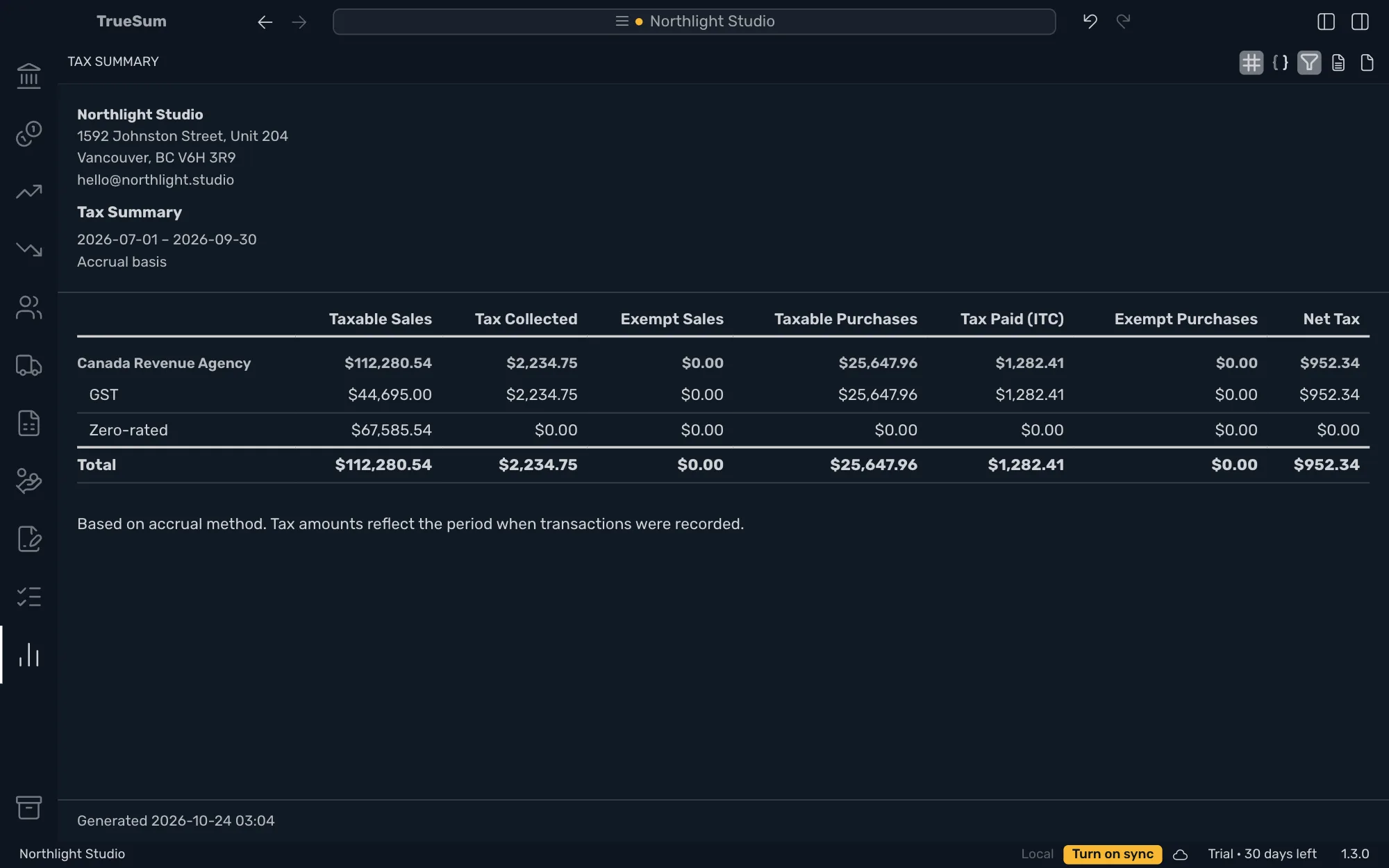
A business in Canada or the United Kingdom starts with its rates already set up. At the end of the period, the Tax Summary lists the tax collected, the tax paid and the net tax for each agency and rate, and it is the figure to file.
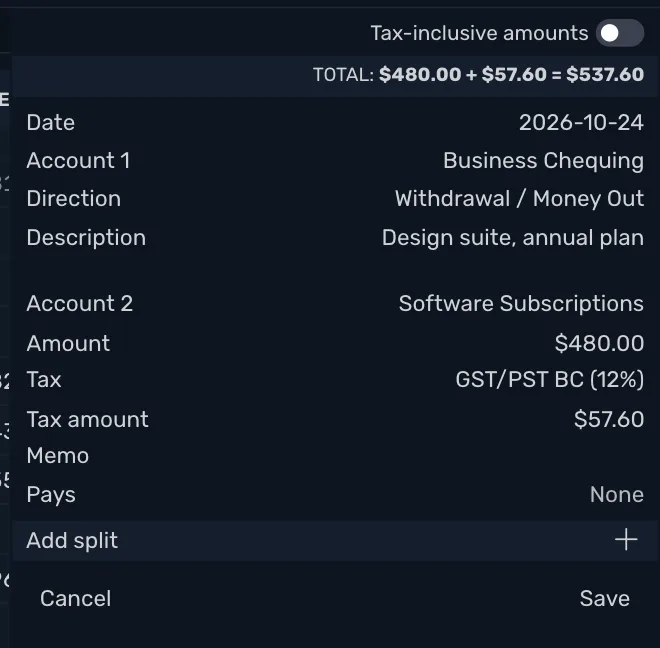
Rates ready for Canada and the United Kingdom
A Canadian business starts with the taxes of its province or territory, such as GST and PST in British Columbia or HST in Ontario, with a group rate where two taxes go together. A business in the United Kingdom starts with the VAT rates. Each rate is filed under its agency.
Your own rates in the United States
In the United States and other countries, add your tax agency and your rates. Rates differ by city and change. Enter the combined state and local rate, such as 8.25. Saving a rate adds its two tax accounts.
A rate on each line
Choose the rate on each line of an invoice, a bill, a deposit or a withdrawal. Type a receipt's total and the tax is taken out of it. $105.00 with GST at 5% is $100.00 and $5.00 of tax, and what is saved is the same as if you had typed the price without tax.
Group rates
Charge several taxes on one line with one choice, such as GST and PST in British Columbia. After the first, each tax is charged on the net amount, on the previous tax, or on the net amount plus all the taxes before it.
Rates that change
Add the new figure in Rate History with the date it starts, rather than editing the old one. Transactions before that date keep the old rate. A rate row that has transactions in it cannot be edited or deleted.
The Tax Summary
Tax collected and tax paid, rate by rate, for a quarter, a fiscal year or dates you choose, on an accrual or a cash basis. Net Tax is what you owe the agency, and below zero the agency owes you.
30 days free, no account or credit card required.