See how much tax you owe
Read the Tax Summary for the tax you collected and paid on sales and purchases, rate by rate.
The Tax Summary adds up the tax on your sales and purchases for a period, rate by rate. Use it when you file your sales tax return.
Open the Tax Summary
Press the Reports icon on the left, then Tax Summary under Tax.
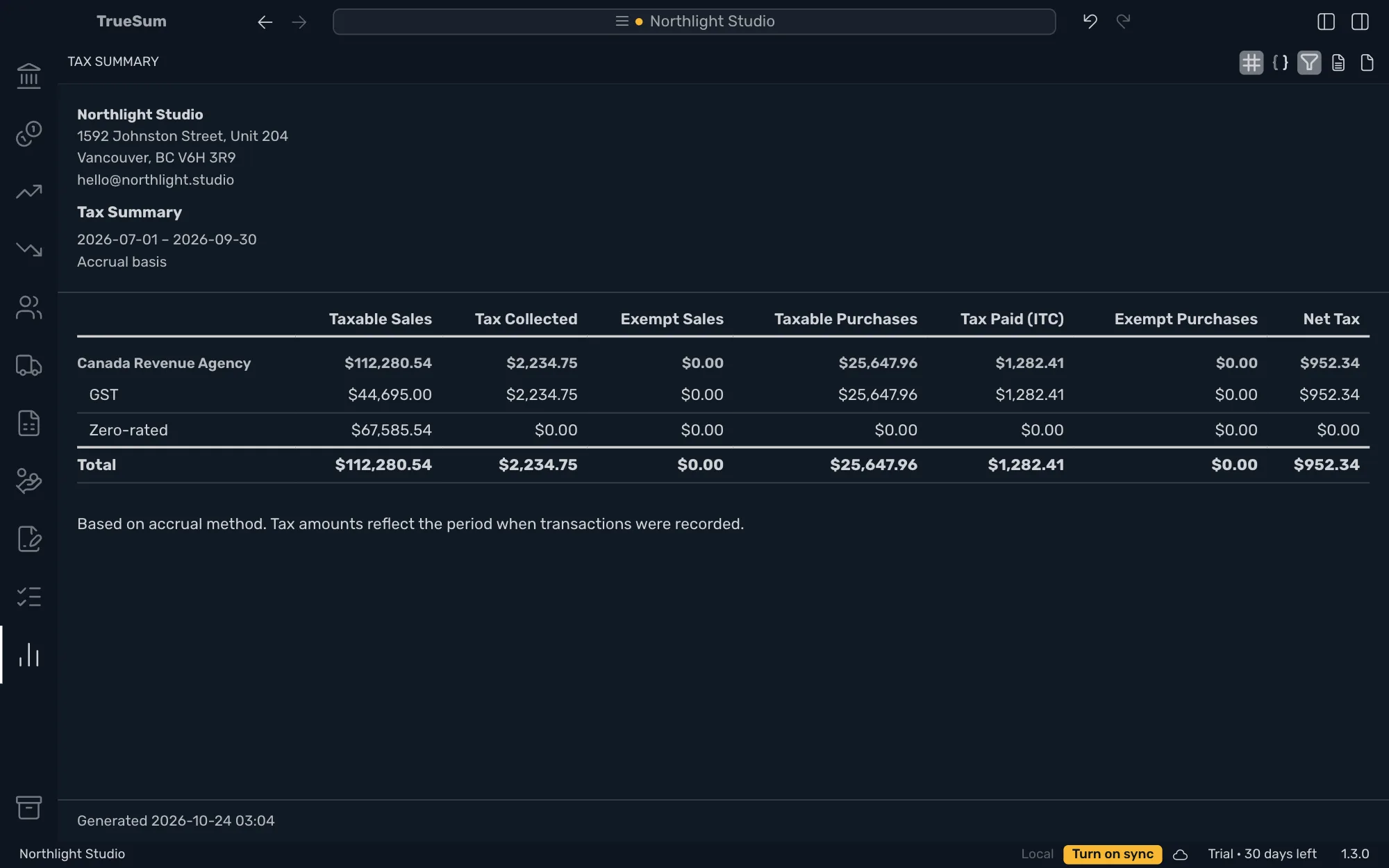
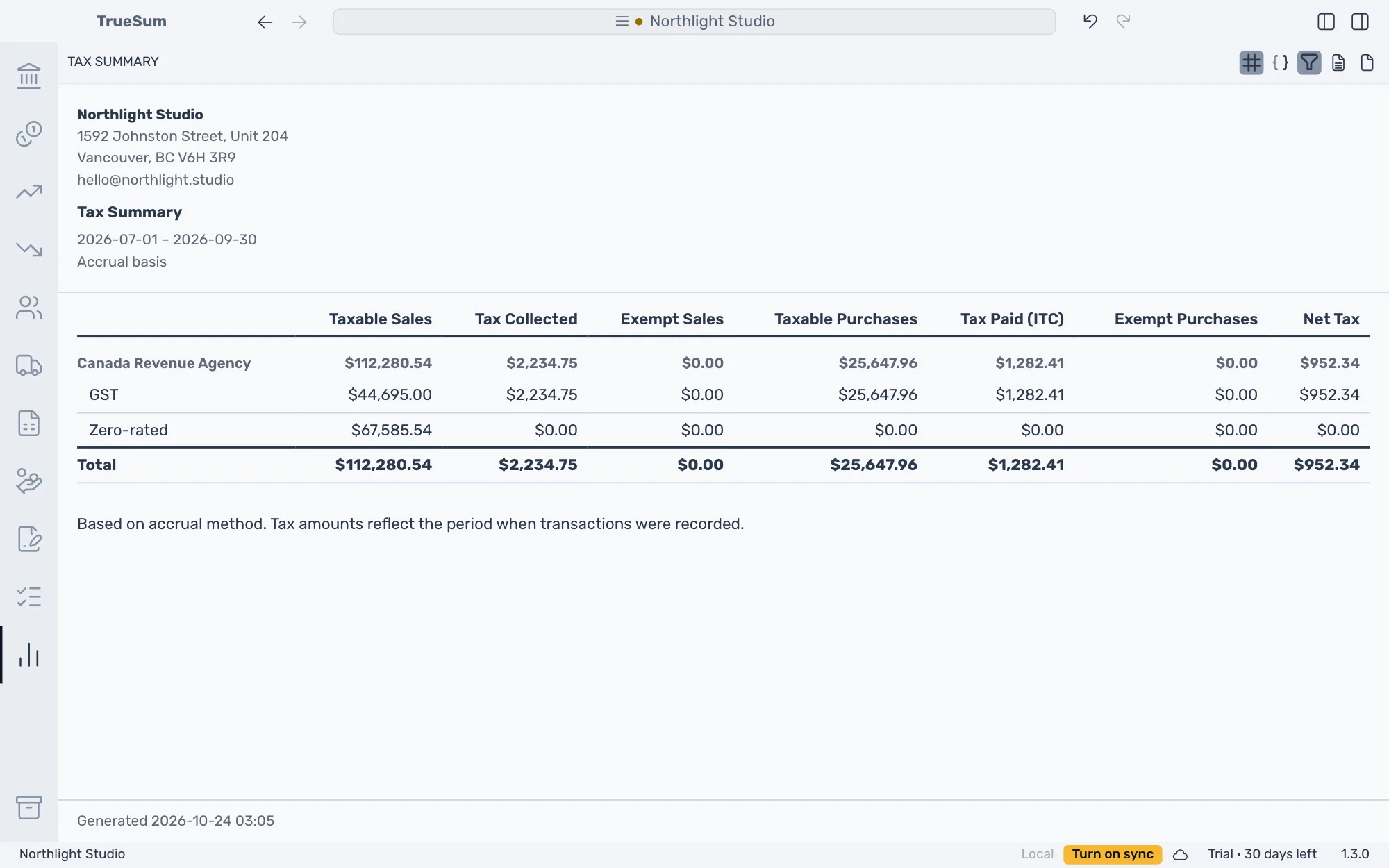
Each tax agency is a heading with a row for each of its rates, and a Total at the foot. A rate with nothing in the period has no row.
| Column | What it adds up |
|---|---|
| Taxable Sales | Sales that carry tax, before the tax. Zero-rated sales are in it. |
| Tax Collected | The tax on those sales. You owe it. |
| Exempt Sales | Sales under an exempt rate. |
| Taxable Purchases | Purchases that carry tax, before the tax. |
| Tax Paid (ITC) | The tax on purchases that you can claim back. ITC is short for input tax credit, the Canadian term for it. |
| Exempt Purchases | Purchases under an exempt rate. |
| Net Tax | Tax Collected minus Tax Paid (ITC). What you owe the agency. Below zero, the agency owes you. |
Tax you cannot claim back, such as PST in British Columbia, is part of the expense, so it is not in Tax Paid (ITC).
In the United States, Tax Paid (ITC) is zero, because sales tax you pay on purchases is not claimed back, and Net Tax is simply the tax you collected.
Choose the period
The report's settings are in the right sidebar.
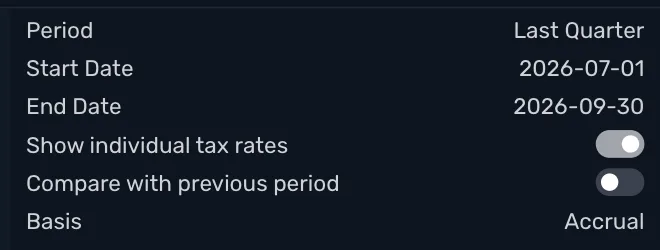
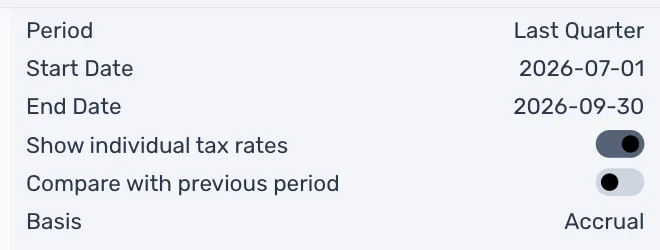
- Period is This Quarter, Last Quarter, This Fiscal Year or Custom. Changing Start Date or End Date makes it Custom. Match it to the period on your return. In Texas that is the month, quarter or year the Comptroller assigned you. For a month, choose Custom and set the dates.
- Turn Show individual tax rates off to see one row per agency.
- Compare with previous period puts the period before it beside the figures.
- Basis: Accrual counts tax on the date of the invoice or bill. Cash counts it when the invoice or bill is paid, and a part payment counts that part of the tax. Use the basis your tax return asks for (see Run a report for what the two mean).
To pay what the Tax Summary says you owe, see Pay the tax you owe.