Explore the sample business
Try TrueSum on a finished set of books for a design studio before you enter your own.
The sample business is Northlight Studio, a design studio in Vancouver, British Columbia. Its books are already written. They hold customers and their invoices, payments, bills, everyday expenses, GST and bank statements. Open it to see what TrueSum looks like once a business has been used.
Open it
On the New Business form, press Explore a sample business, under Create Business. TrueSum shows "Making the sample business" for a moment, then opens Northlight Studio. Unlike a new business, it opens without the Business Settings window.
Explore a sample business is on the first New Business form only, while TrueSum has no business. Once you have created one, TrueSum does not offer it again.
What is in it
- Books from January 1 of last year to today. That is between one and two years of invoices, payments from customers, bills and payments to vendors, and expenses, in Canadian dollars with GST.
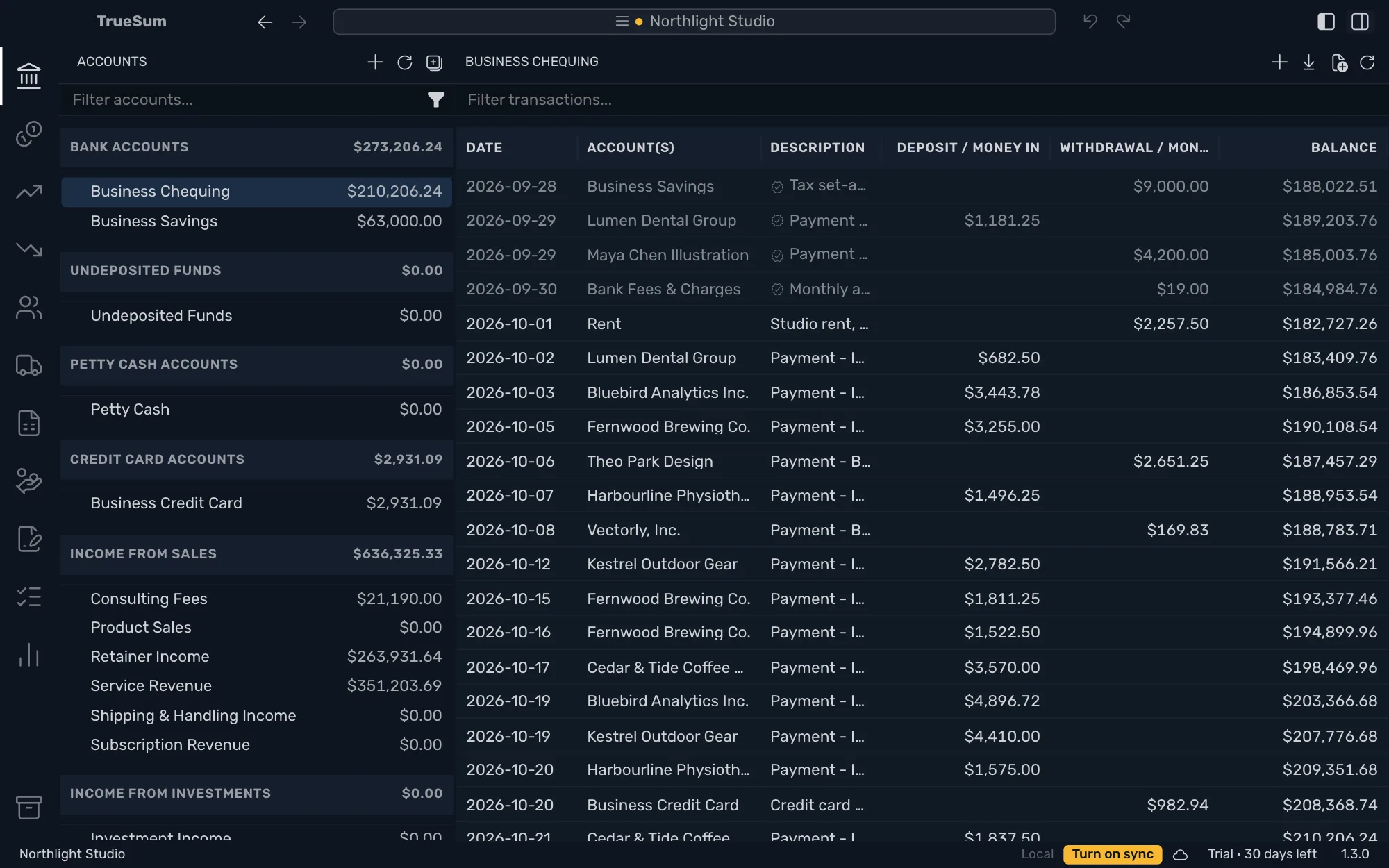
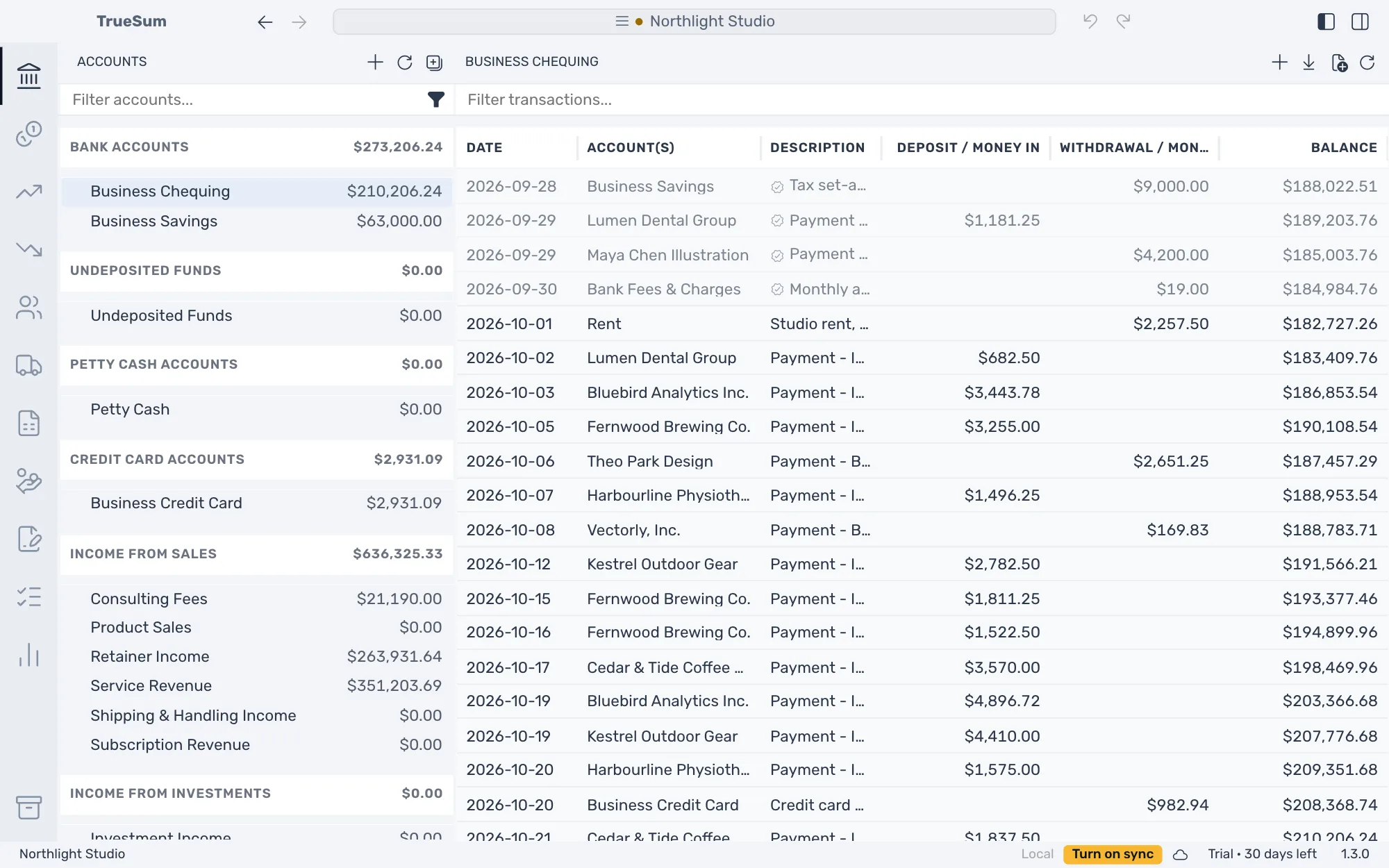
- Bank accounts to look at. Press Business Chequing in the sidebar to see every deposit and withdrawal with its running balance.
- Reports with figures in them. Press the Reports icon on the left and choose Profit & Loss or Balance Sheet.
- Reconciled months. Every complete month has been checked against a bank statement (reconciled). Those transactions are dimmed and locked. The current month is open to change.
It is only a sample. Nothing you change in it touches your own books.
When you are done
Northlight Studio is a business like any other. It is in the Businesses window, and you can open, change and delete it there. You cannot delete the business that is open, so open another one first.
- Press the business's name in the title bar, then Businesses.
- Press Add a business to make your own (see Create your first business).
- In the list, point at Northlight Studio and press the trash icon. TrueSum asks you to confirm. Deleting cannot be undone.
From here, find your way around.