Create your first business
Name the business, choose its country, currency and type, and what those choices set up.
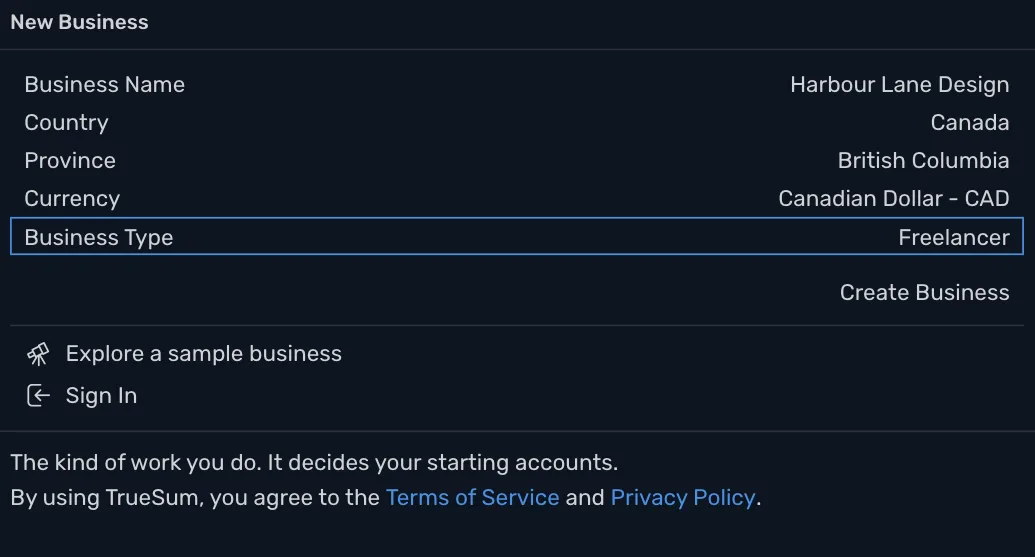
The New Business form asks for the business's name, country, currency and type. In Canada it also asks for the province. From your answers TrueSum sets up your accounts and your taxes. An account is any place money sits or goes. It can be a bank account, but also a category such as Office Supplies or Sales.
Fill in the form
| Field | What to enter |
|---|---|
| Business Name | The name you trade under. It heads your invoices. |
| Country | The country you file taxes in. TrueSum fills it in from your device's settings. Check it. |
| Province | Canada only. The province you charge sales tax in. It decides which sales taxes are set up. |
| Currency | The currency you keep your books in. It follows the country. |
| Business Type | The kind of work you do. TrueSum uses it to pick the income and expense accounts you start with. If none fits, choose General Business. |
Then press Create Business.
What happens next
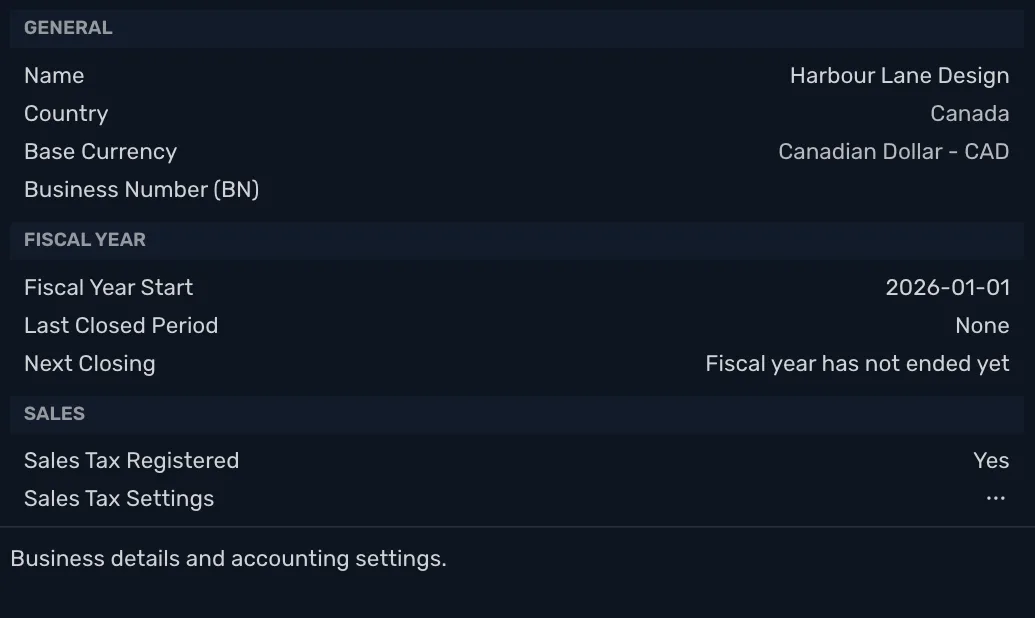
The business opens, and the Business Settings window opens over it. It shows the business's name and business number, when its fiscal year starts, whether it is registered for sales tax, how many days customers have to pay, and links to its invoice and sales tax settings. Your fiscal year is the twelve months your books and tax return cover. For most small businesses it is the calendar year. Nothing here is urgent. Close the window and come back any time from Settings.
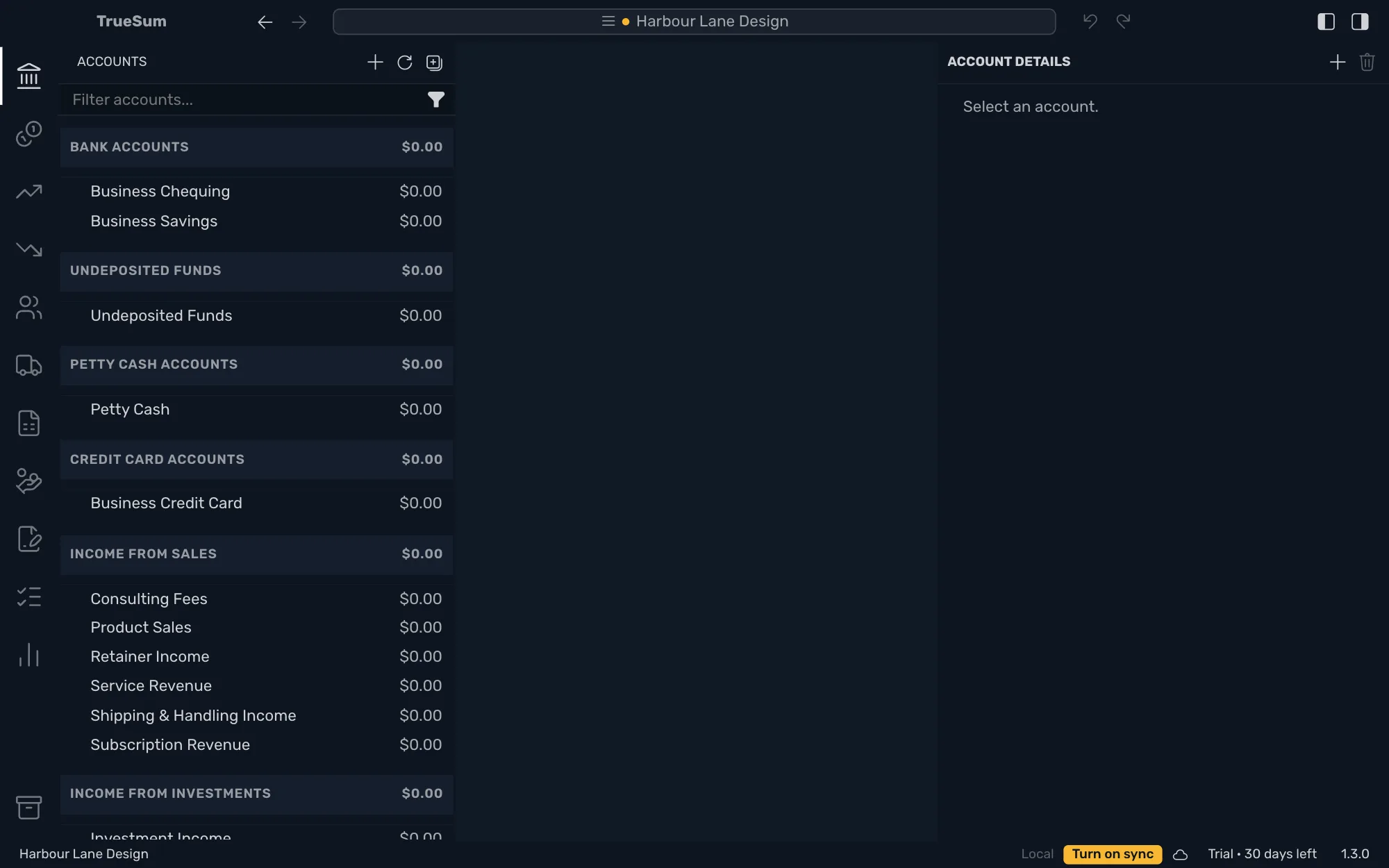
Close it, and your business is ready. The accounts for your kind of work are already in the sidebar. There are no transactions yet.
What was set up
- Accounts for your business type. They are two bank accounts, the income and expense accounts your work usually needs, and the accounts every business has.
- Sales taxes, in Canada the taxes of your province, and in the United Kingdom the VAT rates. They are ready to put on a sale or a purchase. In the United States, rates differ by city and change often, so none are set up. Add yours in Sales Tax Settings (see Tax rates and agencies).
Everything else, such as customers, vendors and more bank accounts, you add as you go.