Pay the tax you owe
Record a payment to the tax agency, and see what you still owe from the tax accounts.
TrueSum has no form for paying tax. Record the payment as an ordinary transaction from your bank account to the account that holds the tax you collected. The Tax Summary does not change, because it adds up tax on sales and purchases, not payments.
You collected tax on your sales, and it sits in the tax collected account. In countries where tax on purchases is claimed back, you also paid tax on your purchases, and it sits in the tax receivable account. You send the agency the difference. The first transaction below records the money leaving your bank. The second, under Clear the tax you paid on purchases, moves what you paid on purchases against what you collected, so both accounts come back to zero for the period.
Record the payment
- Open your bank account and press +.
- Set Direction to Withdrawal / Money Out.
- Choose the tax collected account as Account 2, such as GST Collected (Canada Revenue Agency) or Sales Tax Collected (Texas Comptroller of Public Accounts).
- Type the Net Tax from the Tax Summary as the Amount and press Save.
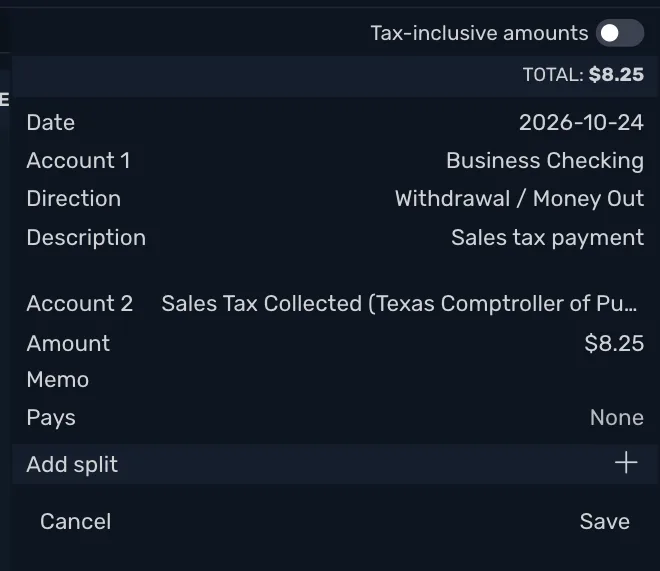
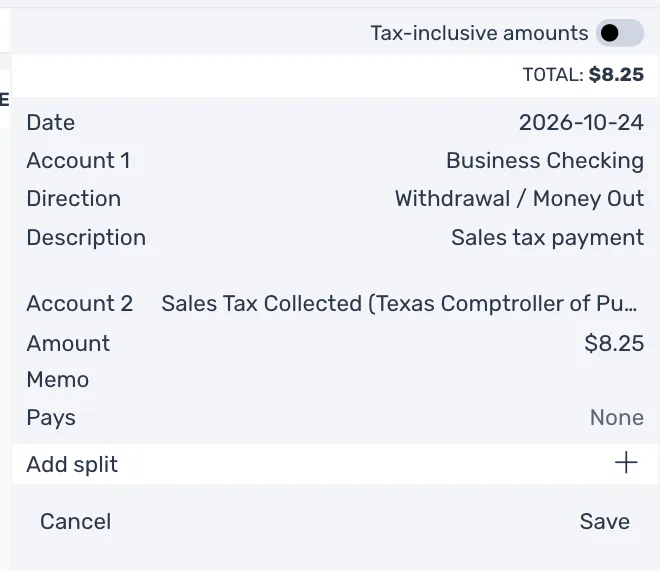
The tax collected account goes down by that amount. When the Net Tax is all you owe, it is back to zero.
If you paid less because of a discount
Some agencies take a discount for filing and paying on time. In Texas it is 0.5 percent of the tax, and monthly and quarterly filers who prepay can take 1.25 percent more. The amount you pay is then less than the Net Tax. A transaction takes one direction for all its parts, so a split cannot record the discount as income. Use two transactions instead.
- Record the payment as above, but type the amount that left your bank as the Amount. The tax collected account then still shows the discount.
- Open the tax collected account and press +. Set Direction to Payment. Choose an income account for the discount as Account 2, such as Discounts Received. Type the discount as the Amount and press Save.
The tax collected account is back to zero, and the discount is income.
Clear the tax you paid on purchases
This section is for countries where tax on purchases is claimed back, such as Canada and the United Kingdom. In the United States the receivable account is empty and there is nothing to clear.
If you claimed tax paid on purchases, its account still shows it. Clear it against the collected account:
- Open the matching account, such as GST Receivable (Canada Revenue Agency), and press +.
- Set Direction to Receipt, which lowers the balance of this account.
- Choose the same collected account as Account 2.
- Type the Tax Paid (ITC) amount from the Tax Summary as the Amount and press Save.
Both accounts go down by what you recorded.
See what you still owe
Open the Accounts sidebar. Each rate has two accounts of its own, named for the rate and the agency, such as GST Collected (Canada Revenue Agency). They sit under two accounts that add them up. In Canada those are GST/HST Collected, the tax you collected and have not paid, and GST/HST Paid on Purchases, the tax you paid and have not claimed. In the United States they are Sales Tax Collected and Sales Tax Paid on Purchases, and a rate named Sales Tax has Sales Tax Collected (Texas Comptroller of Public Accounts) and Sales Tax Receivable (Texas Comptroller of Public Accounts) under them. In the United Kingdom they are VAT Collected and VAT Paid on Purchases.