Trial Balance and General Ledger
Every account's balance and every entry behind it. These are the two reports your accountant asks for.
The Trial Balance lists every account with its balance. The General Ledger lists every entry behind those balances. You rarely need them yourself. Your accountant does, so save them as PDF or CSV and send them. Both are under Ledger in the Reports sidebar.
Trial Balance
Press the Reports icon, then Trial Balance. It opens as of today. Each account's balance is in the Debit or the Credit column, grouped as Assets, Liabilities, Equity, Revenue and Expenses.
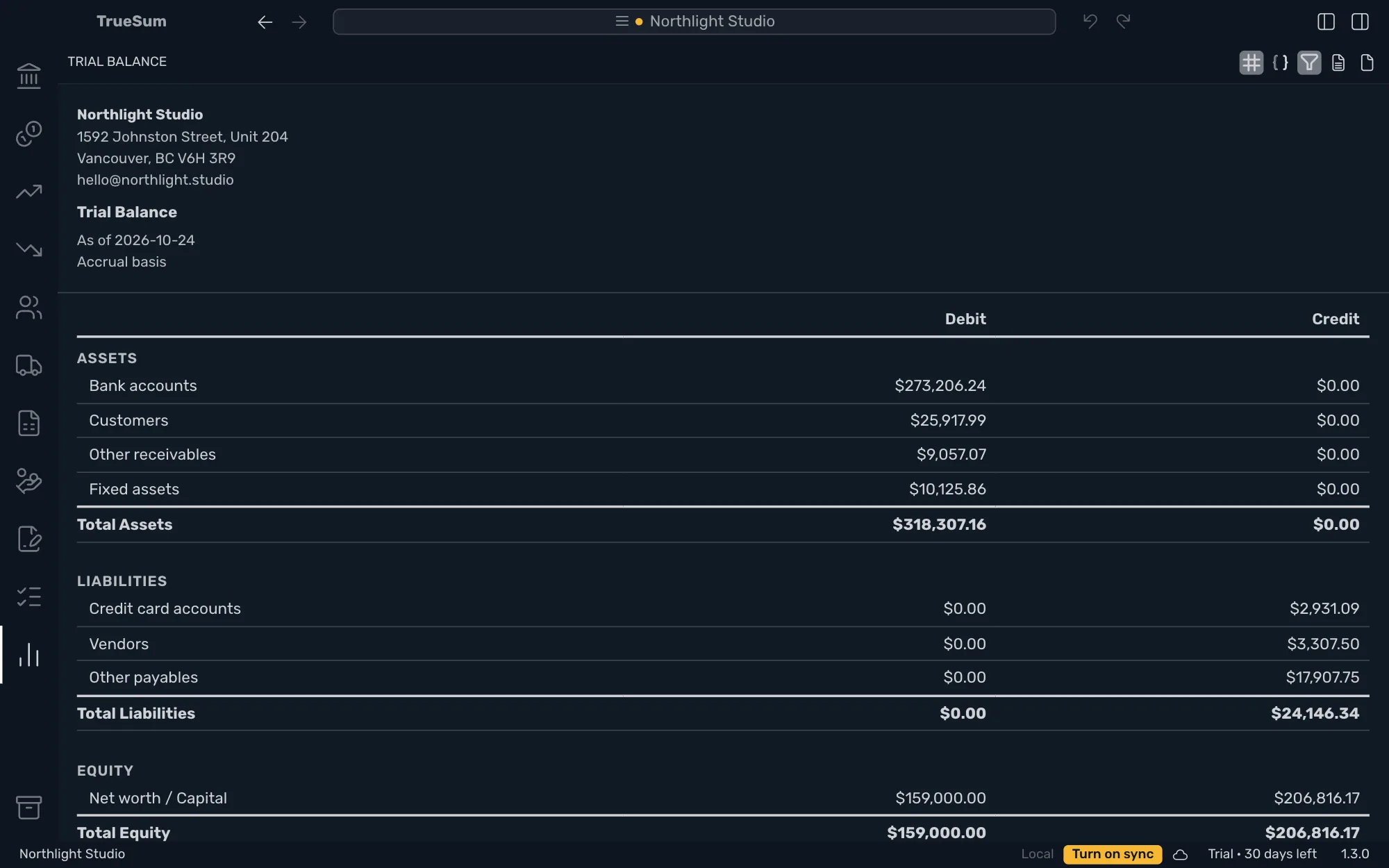
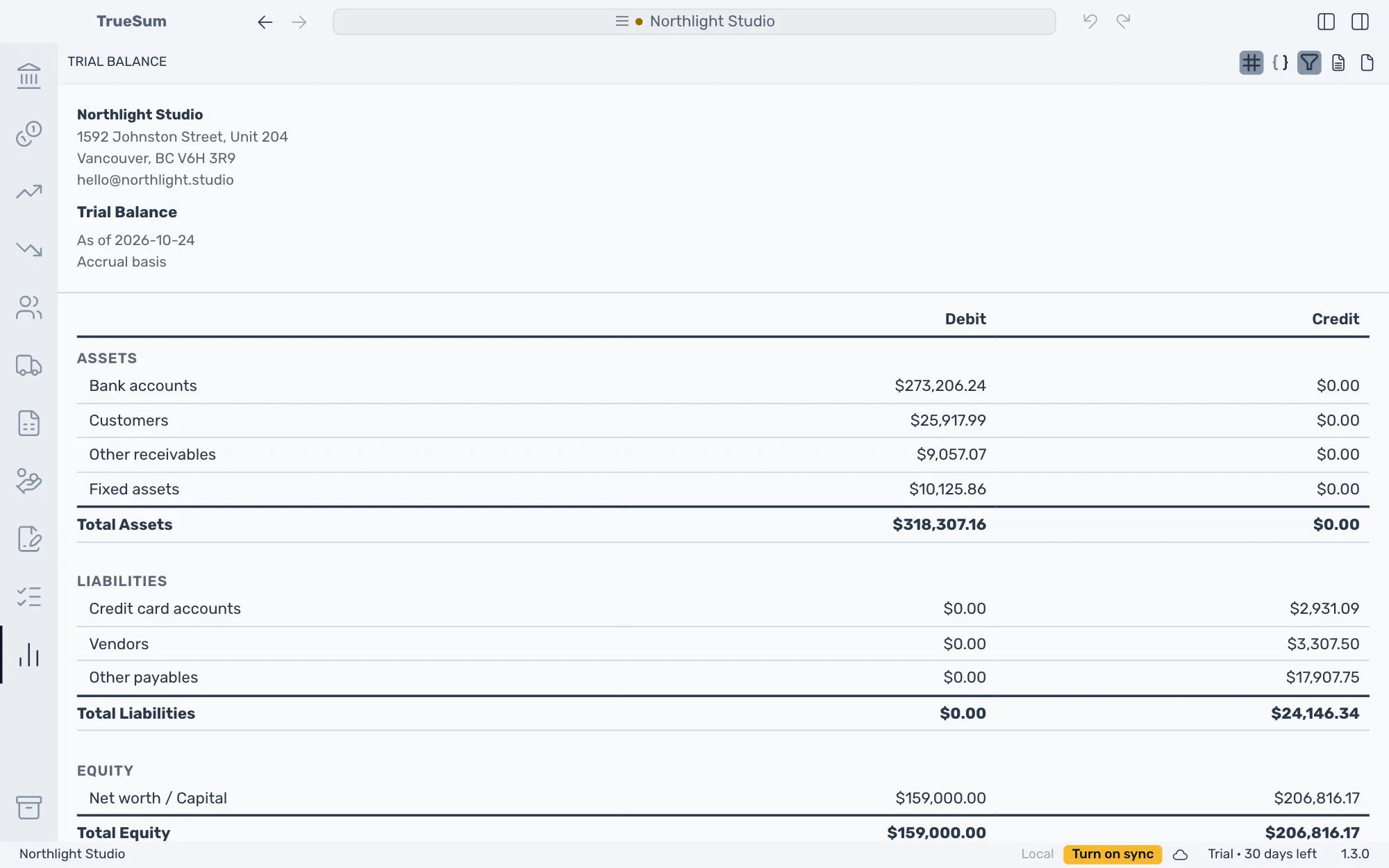
The picture shows the top of the report, with the Debit and Credit headers. The report is longer than the window, so Revenue, Expenses and the Total row are further down.
The picture has Show individual accounts off. The Total row at the foot has the same amount in Debit and in Credit. Every transaction has a debit and a credit of the same amount, which is why the two totals match.
Revenue and Expenses hold the current fiscal year so far. The profit of earlier years is in Retained Earnings. The settings are the Balance Sheet's. They are As Of, As Of Date, Show individual accounts, Compare with previous period and Basis.
General Ledger
Press the Reports icon, then General Ledger. It opens on This Month. Change Period as on any report.
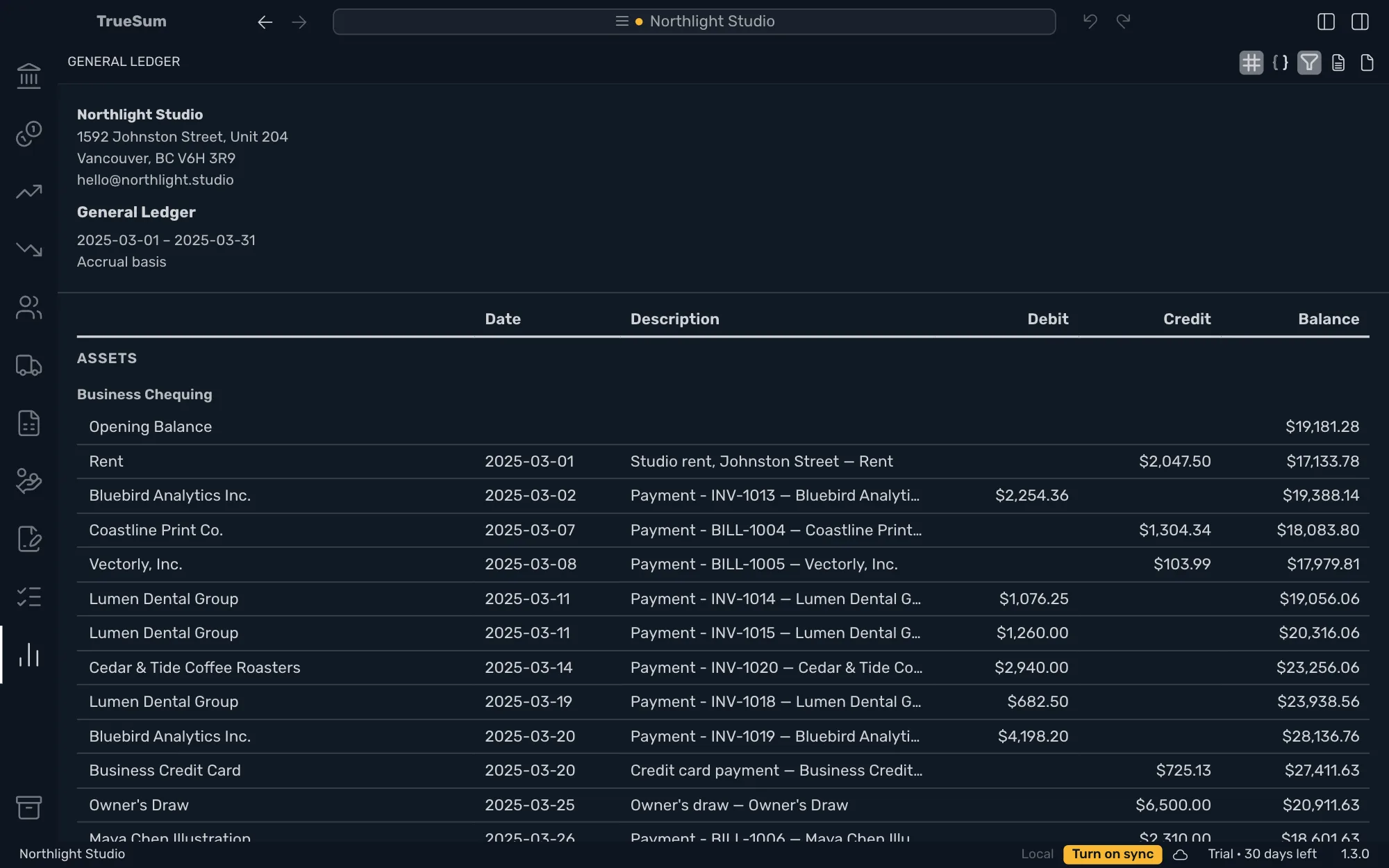
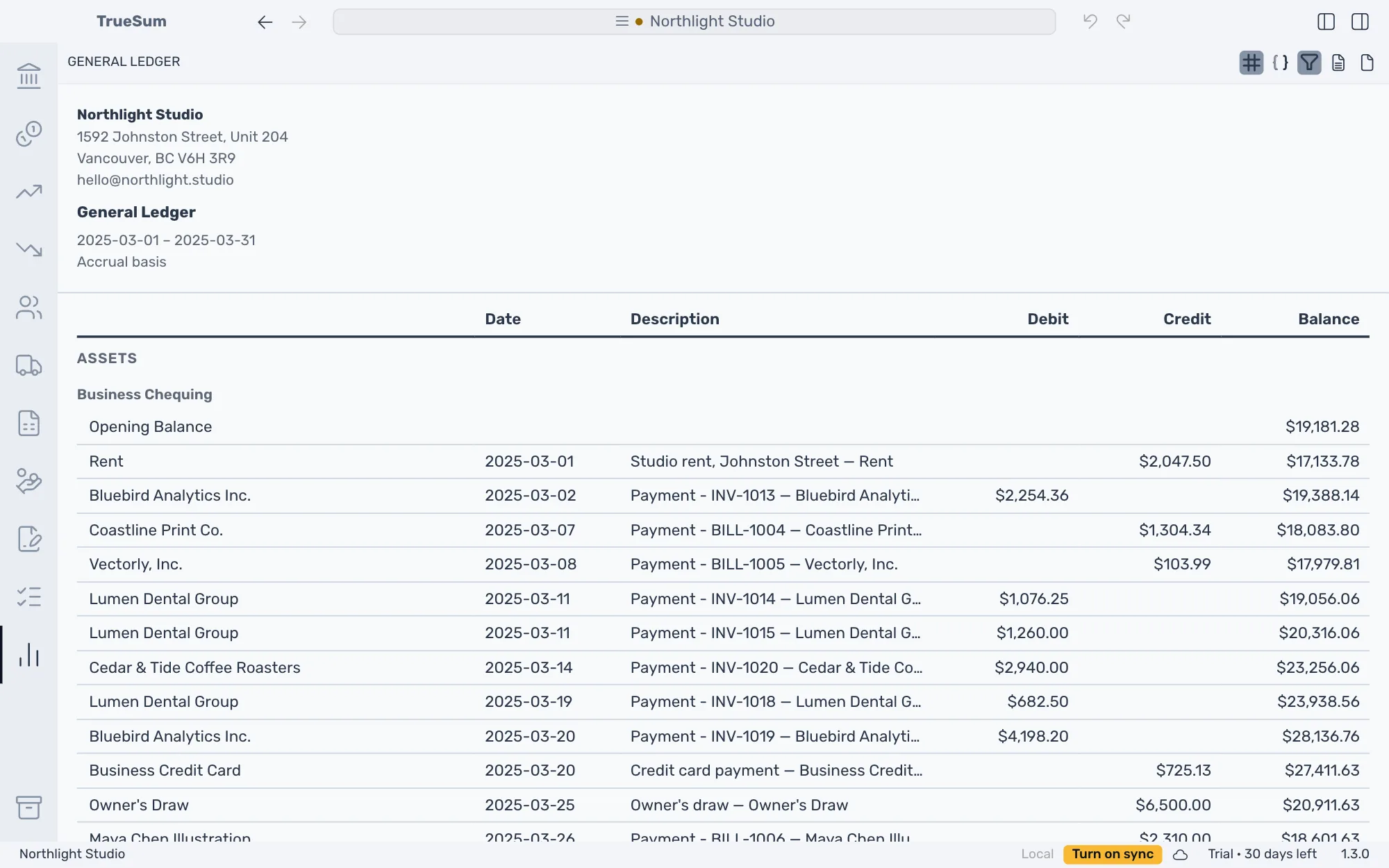
Each account has an Opening Balance at the start of the period, a row for each entry, and a Closing Balance. A row's first column is the other account in the entry. Description is the entry's description, then a dash and the other account's name. Balance is the running balance after the entry. On the Closing Balance row, Debit and Credit are the period's totals.
Turn Show individual entries off for one row for each account with its totals. Hide zero rows leaves out an account with no entries and no opening balance.