Add a bank account or credit card
Add an account under its heading in the sidebar, then set its currency and opening balance.
A bank account holds money you have. A credit card holds money you owe. Add an account for each one your bank gives you, so there is a place to import its statements and to reconcile them.
Add the account
- Press the Accounts icon at the top of the activity bar.
- Point at the heading for the kind of account. Use Bank accounts for a checking or savings account, Credit card accounts for a card, and Petty cash accounts for cash you keep. A + appears at the right of the heading. Press it.
- Type the account's name and press Enter.
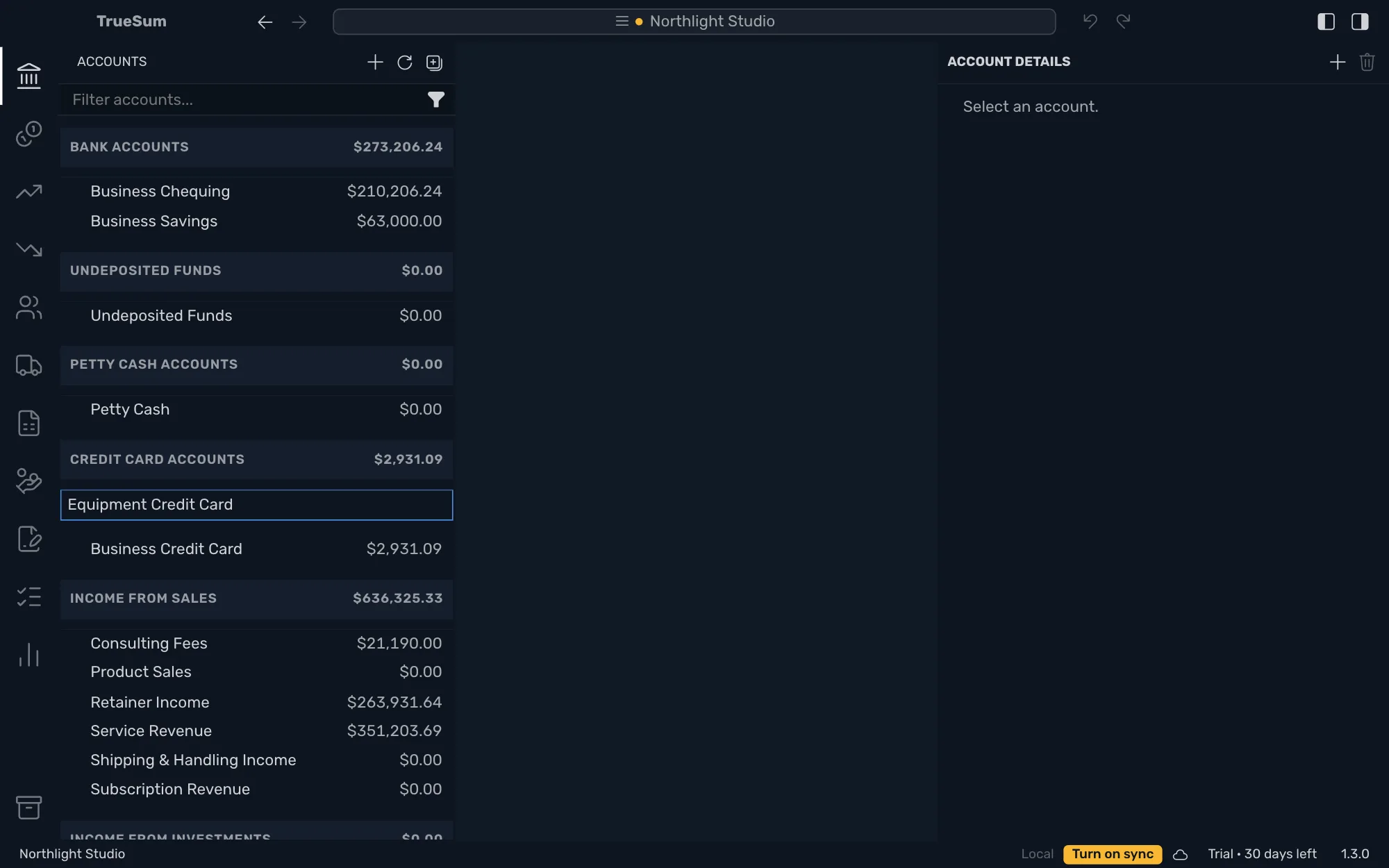
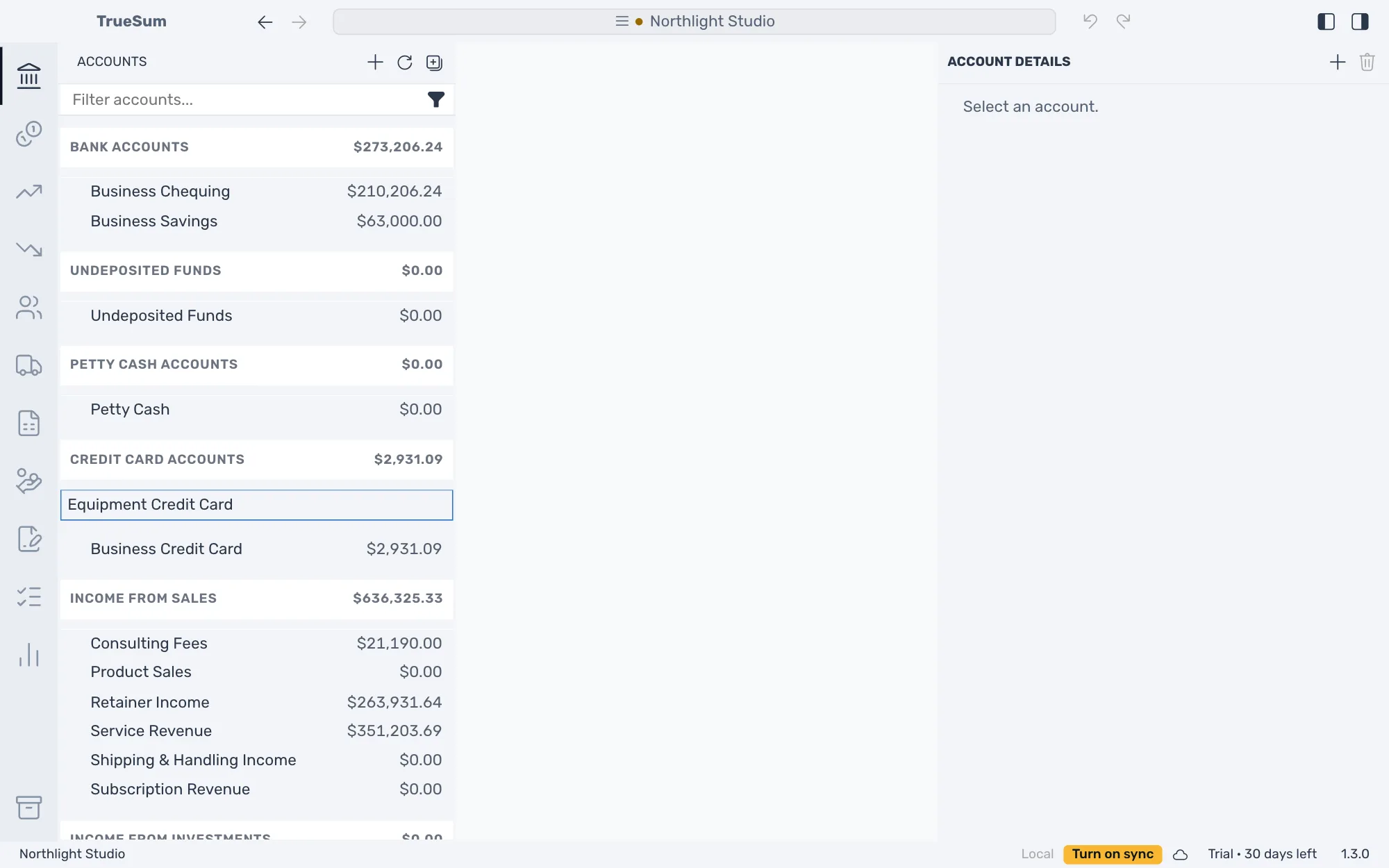
The + at the very top of the sidebar, Add Account, adds the account under the first heading in the list. To choose the kind yourself, use the heading's own +.
The heading sets the kind of account, and the kind decides the words its list uses:
| Kind | Money in column | Money out column | Balance column |
|---|---|---|---|
| Bank account | Deposit / Money In | Withdrawal / Money Out | Balance |
| Credit card | Payment | Charge | Amount Owed |
With Use Friendly Names turned off in App Settings, every list says Debit and Credit instead.
Fill in the details
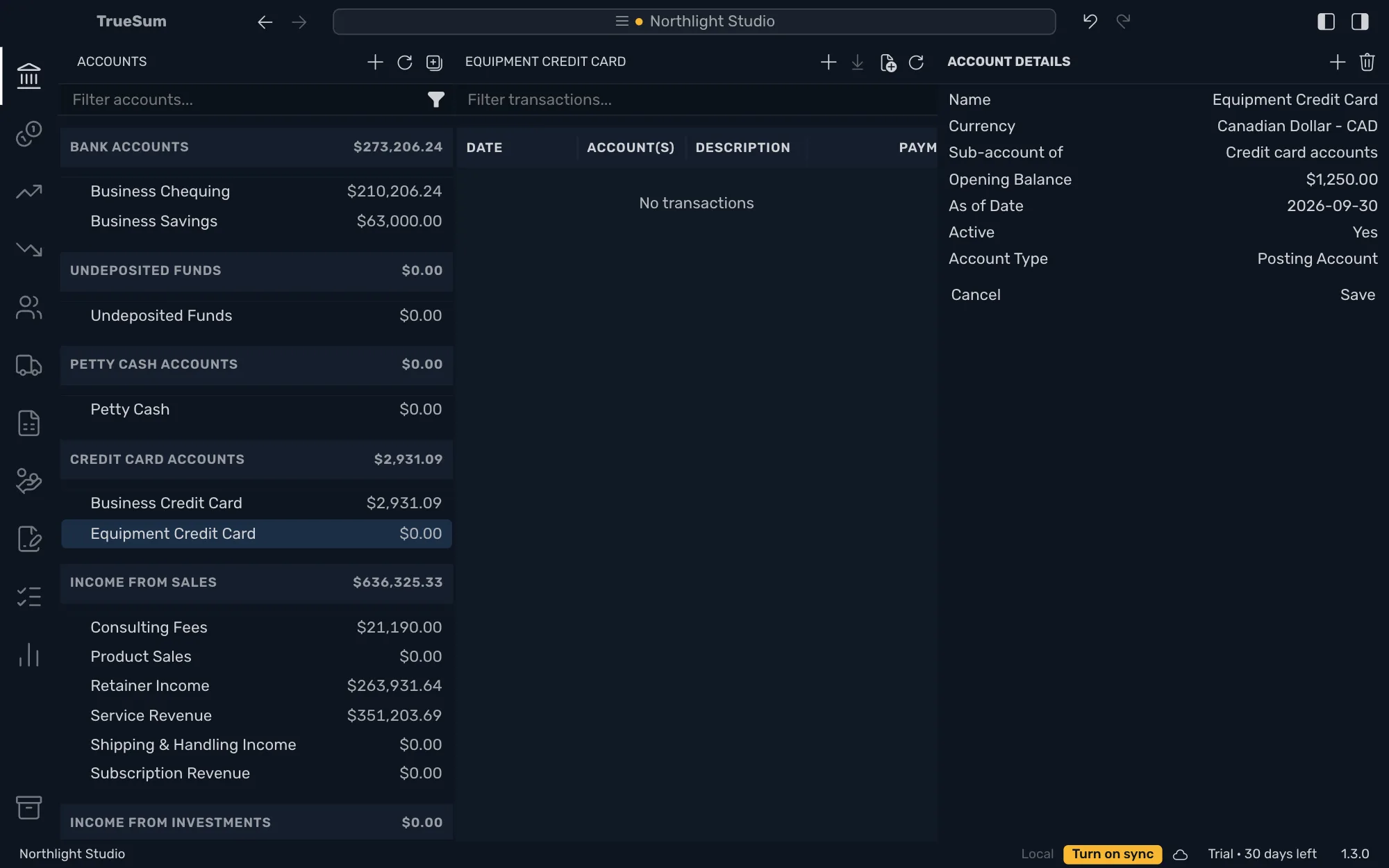
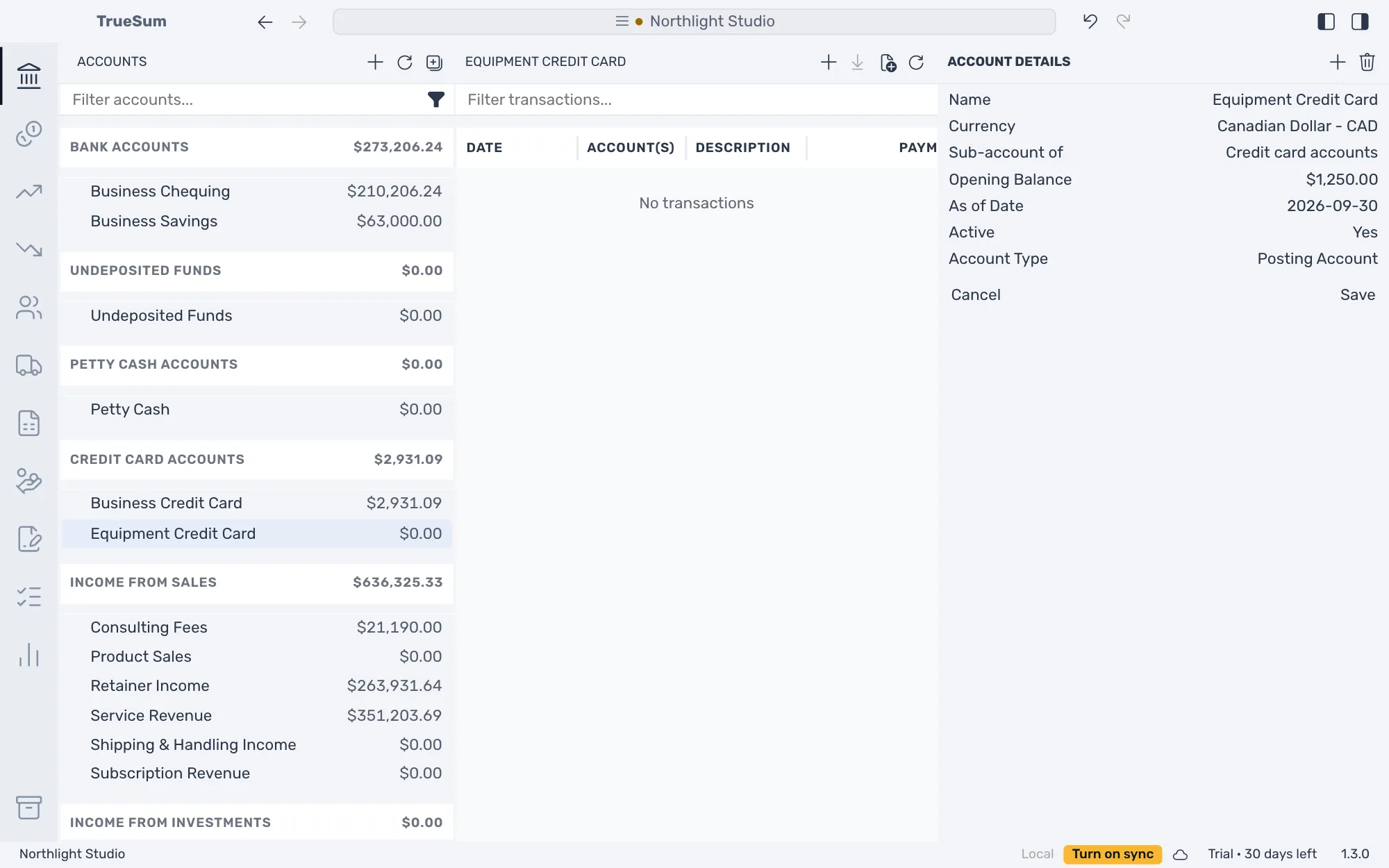
The account opens, in the business's currency, with Account Details in the right sidebar. Change what you need, then press Save.
| Field | What to enter |
|---|---|
| Name | The name in the sidebar and in lists. You can change it later. |
| Currency | The currency of the account at the bank. It cannot change once the account has transactions or statements. |
| Opening Balance | What the account held when you started with TrueSum. For a credit card, type what you owed as a positive number. A negative balance on a bank account is an overdraft. |
| As of Date | The day that balance is from. It appears once there is a balance. TrueSum proposes the day before the account's first transaction. |
| Active | Set it to No for an account you closed. Its balance must be zero first. |
Sub-account of and Account Type are the same for every account (see The chart of accounts). TrueSum records the opening balance as the account's first transaction, with Opening Balance Equity as the other account (see Opening balances).
Change or delete an account
Open the account, change a field and press Save. To delete one, press the trash button at the top of Account Details, Delete Account. For an account that has transactions, statements or a balance, the button is dimmed and says why when you point at it. To retire an account, set Active to No instead.
Next, import a bank statement.