Record an expense
Money that left a bank account or a credit card, and what each field in the form is for.
Record an expense when you paid at the time, such as a subscription, a lunch or a tank of gas. If a vendor sent you a bill to pay later, enter a bill instead. Your first transaction records one expense from start to finish. This page explains every field.
Open the form
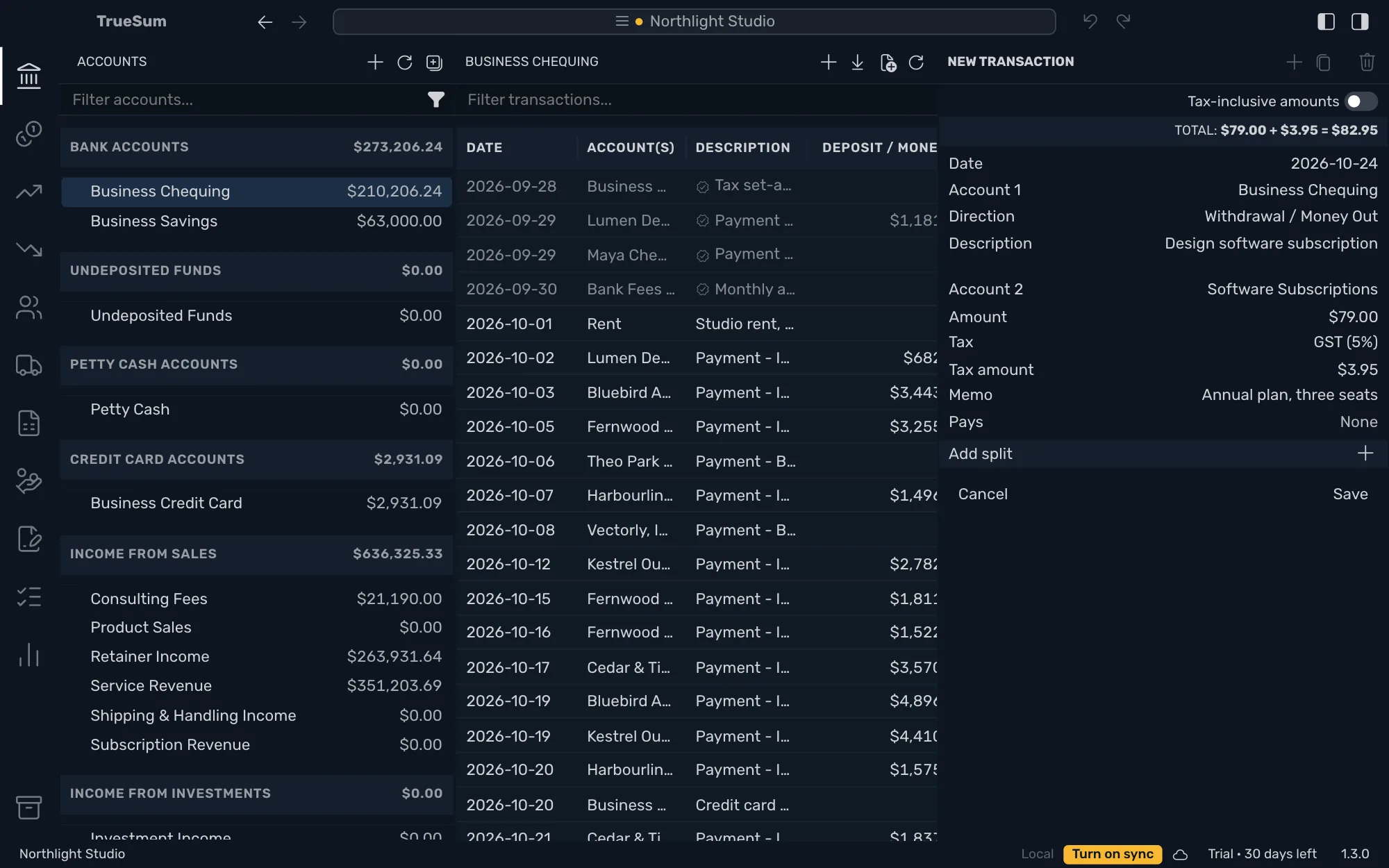
Press an account in the sidebar, then the + at the top of its list (Add new transaction). New Transaction opens in the right sidebar. The account you opened is Account 1. For an expense it is the account that paid, which is a bank account or a credit card.
The fields
| Field | What to enter |
|---|---|
| Date | Press it, then Today or a day in the calendar. You can also type it, in the date format set in App Settings. Press Enter with the field empty to reuse the date of the last transaction you saved. |
| Account 1 | The account that paid. It starts as the account you opened. |
| Direction | Withdrawal / Money Out for an expense. A new transaction starts on Deposit / Money In. |
| Description | What it was for. The account's list shows it, and the filter box searches it. |
| Account 2 | What the money was spent on, such as Software Subscriptions. Type to search. |
| Amount | The amount of the expense, before tax. |
| Tax | The tax rate, such as GST (5%). It shows when the business charges sales tax and Account 2 is an income or expense account. Leave Out of scope for no tax. |
| Tax amount | Shows once you choose a tax. TrueSum works it out. Press it to type a different amount. |
| Memo | A note on this line. It shows in the form only. The account's list does not show it and the filter does not search it. |
The total at the top adds the amount and the tax. If your figure, such as a receipt's total, already includes the tax, turn on Tax-inclusive amounts above it before you type the amount. Tax on a sale or a purchase has the details.
Pays is for payments of invoices and bills. Leave it alone for an expense.
Save it
Save stays dimmed until the form is complete. A note under the buttons, To save this transaction, lists what is missing, such as Select a date.
Pay with a credit card
Open the credit card account instead. Its Direction choices are Payment and Charge. A purchase is a Charge. A Charge raises what you owe on the card, and a Payment lowers it. The rest of the form is the same.
Record the same expense again
Open the transaction and press Duplicate Transaction at the top of the right sidebar. The copy has the same accounts, amounts and description, but no date yet. Choose a date in the calendar, which opens on the original's month and marks the original's date. Then press Save.