Accounts in another currency
Keep an account in another currency, see how rates work, and what happens when a payment converts at a new rate.
Your books are in one currency, the business's Base Currency, which is set when the business is created. An account can be in another currency. It might be a bank account in US dollars, or a customer you bill in euros. TrueSum keeps its balance in that currency and converts to yours for totals and reports.
Give an account a currency
Open the account, press Currency in Account Details, choose one and press Save. A new account starts in your currency. The currency cannot change once the account has transactions or statements, so choose it first.
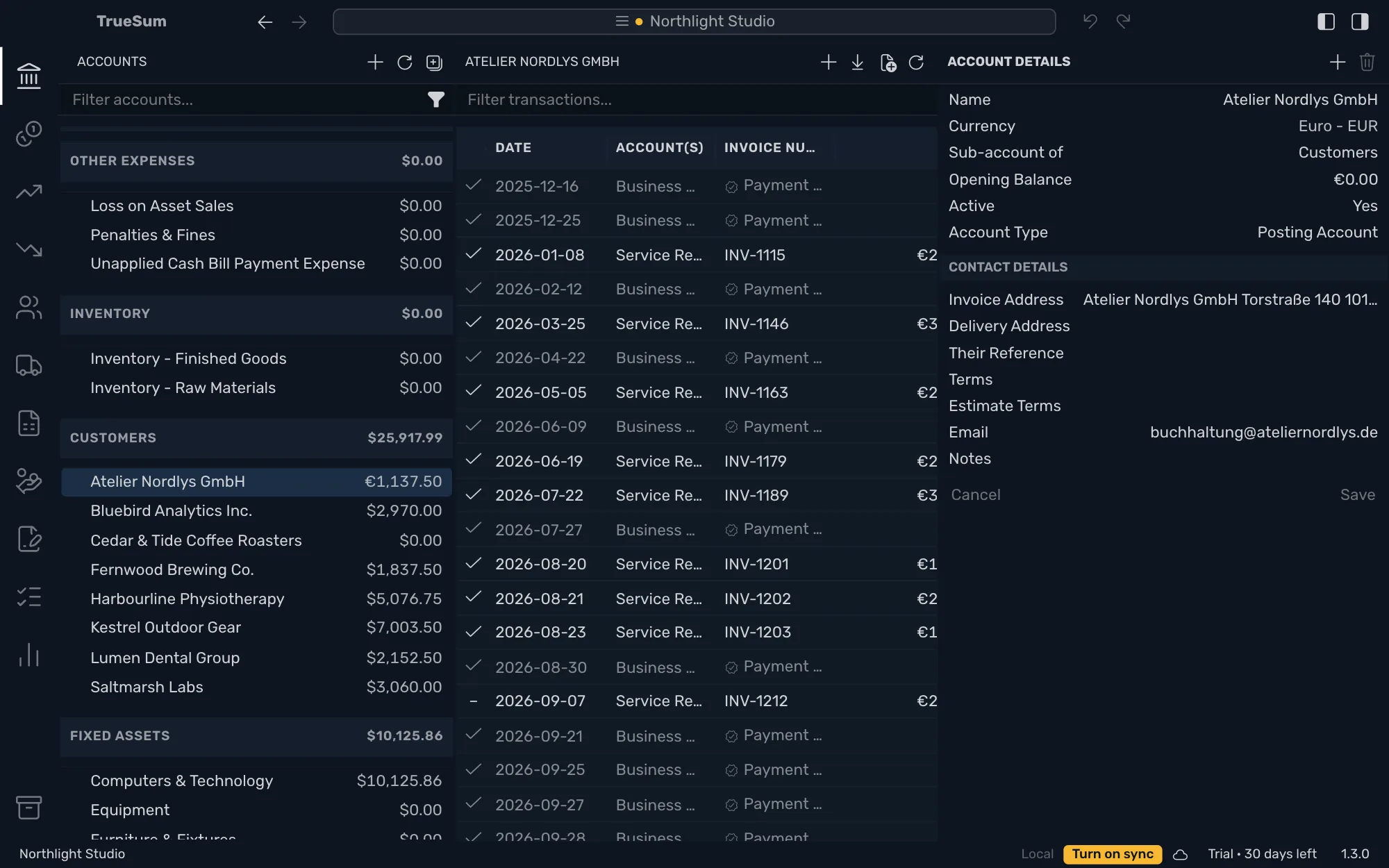
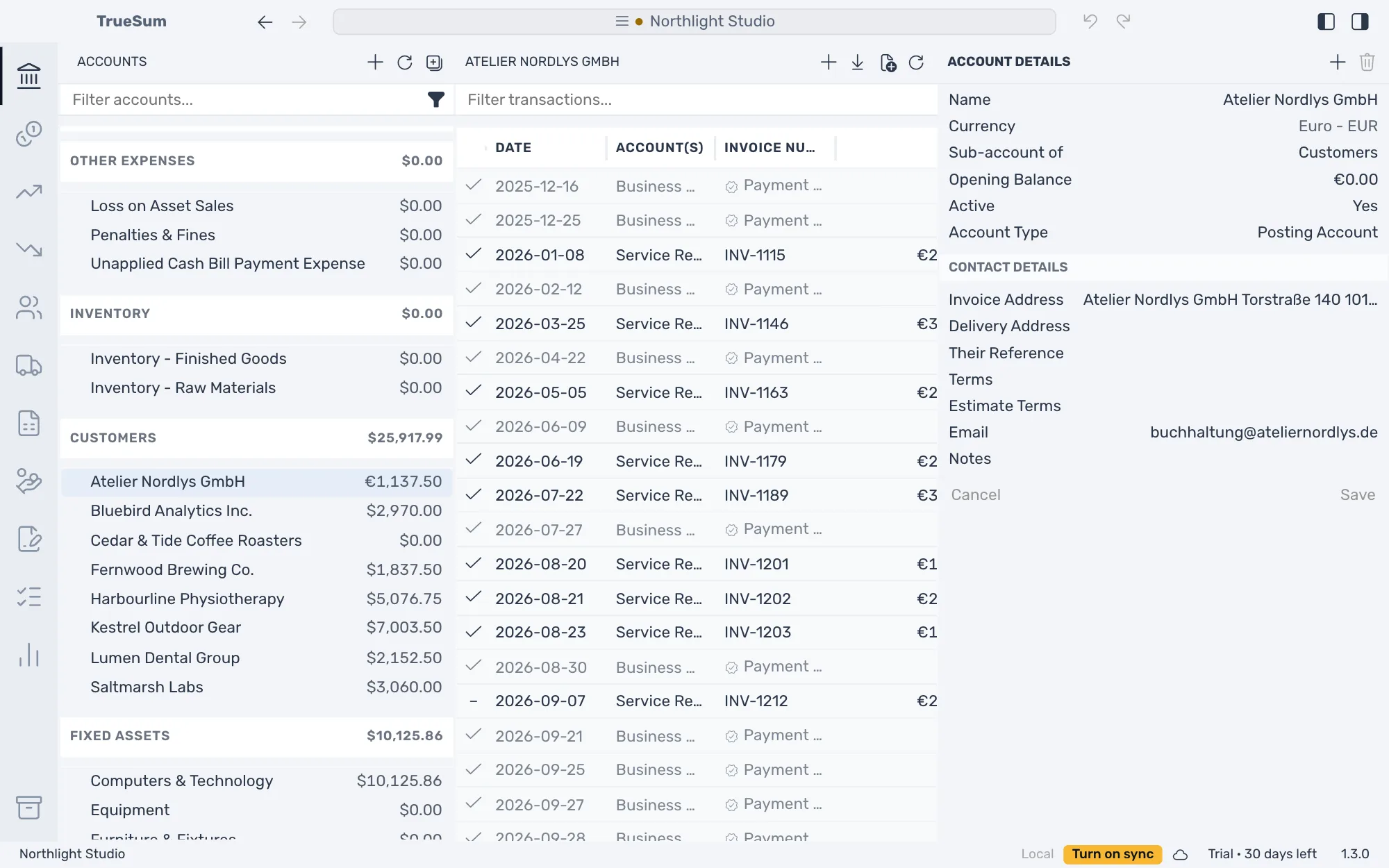
An account's balance in the sidebar and its list are in its own currency. A heading's total is in yours.
Exchange rates
When a transaction has two currencies, TrueSum looks up the rate for its date over the internet and fills in the other amount. It cannot while Privacy Mode is on (see Privacy Mode). The line then says "No CAD to EUR rate could be loaded. Enter both amounts to set it."
In the form, each currency has its own Amount, and Rate reads "1 EUR to CAD = 1.5036". Type either amount, and the other follows. Type both, and the rate follows your amounts and reads Rate (Modified). The button beside it, Reset to web rate, looks the rate up again.
Each list shows a transaction in its account's own currency. The euro customer's list shows it in euros, and the bank's list shows it in dollars.
To move money between accounts in different currencies, record a transfer and type the amount that left and the amount that arrived, as your bank shows them. The rate is whatever those two amounts imply.
A bank statement cannot be imported into an account in another currency. See Import a bank statement.
Exchange gain or loss
An invoice in euros is booked at the rate of its date, and its payment at the rate of the payment's date. When the two differ, the customer's balance would not come back to zero. TrueSum puts the difference in Exchange gain/loss, on the payment, under the line it settles.
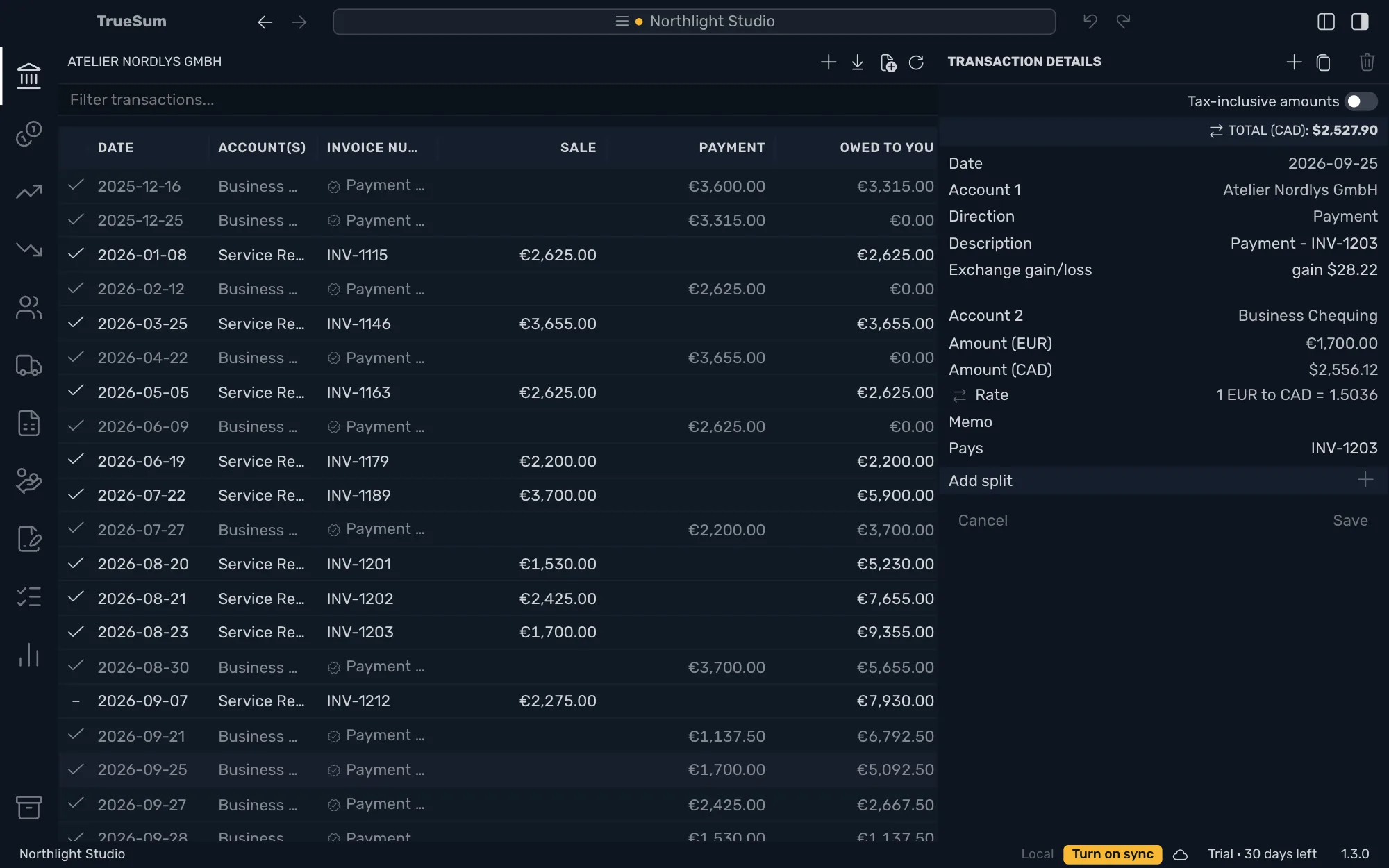
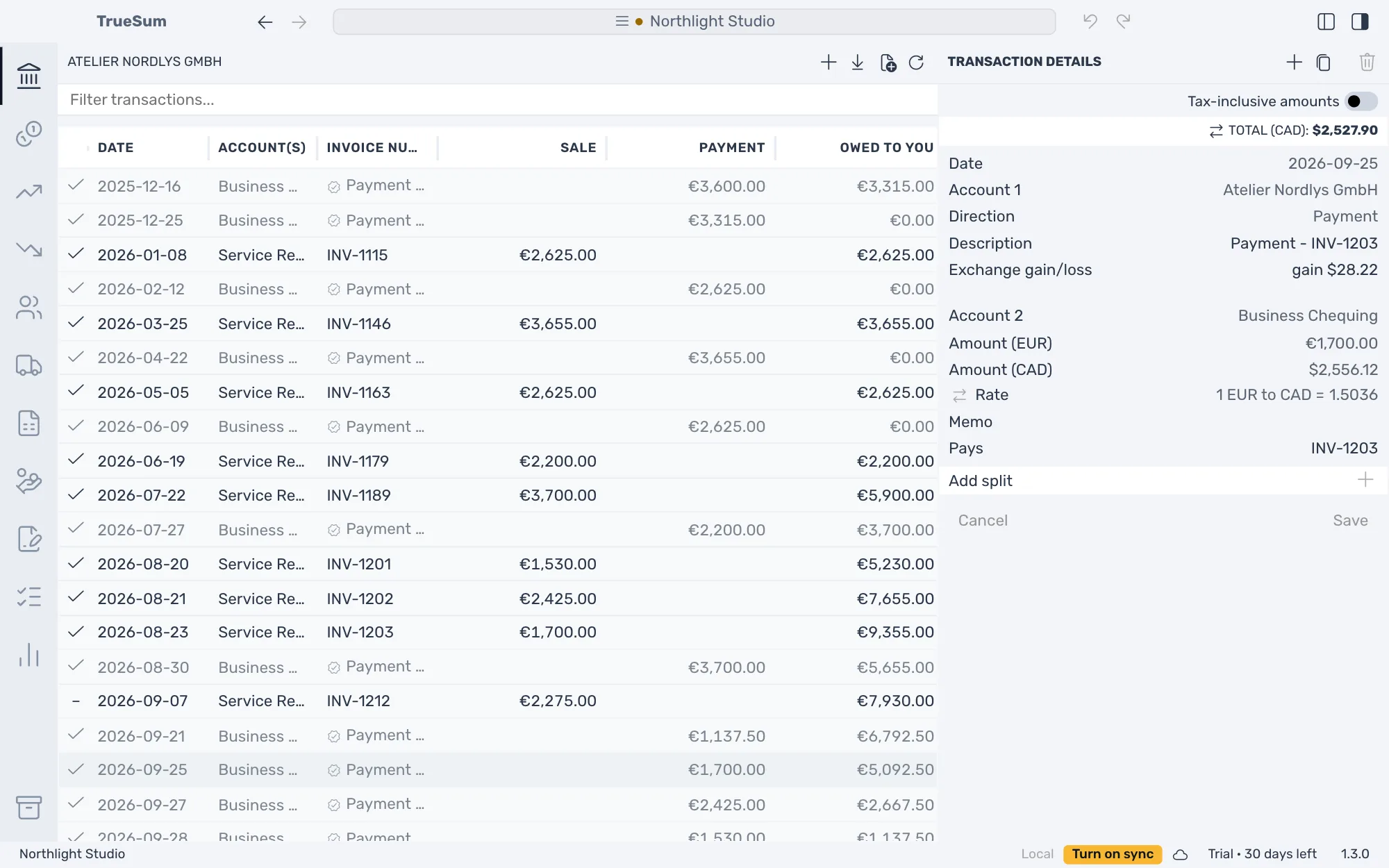
A gain is in your favor, and a loss against you. The customer's balance is exactly zero in your currency once the invoice is paid in full. Delete the payment and its gain or loss goes with it.
Exchange gain/loss is an account under Other income that TrueSum creates the first time it is needed. You cannot delete it or post to it yourself. The Profit & Loss and the Trial Balance show it.